


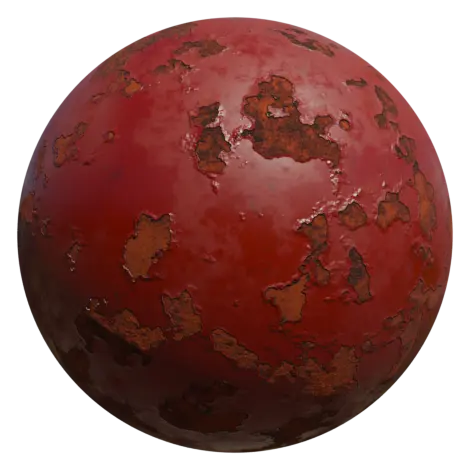
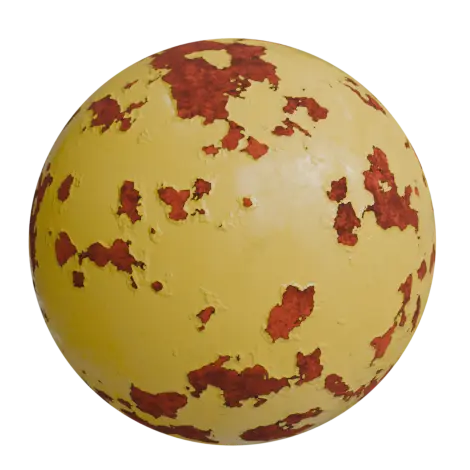
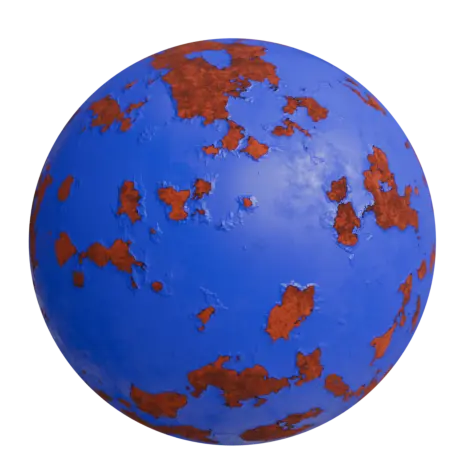
A procedural peeling paint and rust material
Give metal surfaces years of weathering in a few clicks. This material layers painted metal, peeling areas, rust and dirt in one “Peeling Paint” node group, with no image textures, so it works on any model at any size.
Features:
- Fully procedural, no image textures required
- Main Color and Dirt Color inputs to change the paint and grime tint
- Peeling Spread and Peeling Intensity to go from small chips to large flaking areas
- Dirt Amount control
- Rust Brightness and Rust Roughness for the exposed metal
- Overall Roughness and Paint Noisy Roughness for the surface finish
- Seed input to get a different wear pattern on every object
How to use it:
- Use File > Append > Material > Peeling Paint With Rust, or open the file directly.
- Assign it to your object and apply its scale (Ctrl + A > Scale).
- Pick a Main Color, then raise Peeling Spread until enough metal shows through.
- Change the Seed on each copy of an object so no two look the same.
Want to see it on a real model? Our free Damaged Fire Hydrant uses a version of this material with rust and dirt that collect on upward-facing surfaces.
Perfect for:
- Industrial and abandoned environments
- Old machinery, vehicles and props
- Sci-fi and post-apocalyptic scenes
- Game art and renders
Included files:
- Blender project (.blend), created in Blender 4.2, with a demo sphere
Tutorial
Easy Procedural Peeling Paint Material in Blender – Step-by-Step Tutorial