


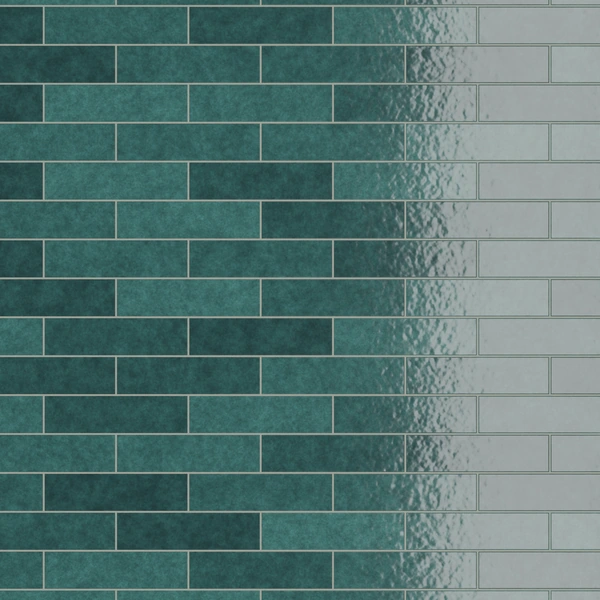
Procedural Hand-glazed Ceramic Tiles
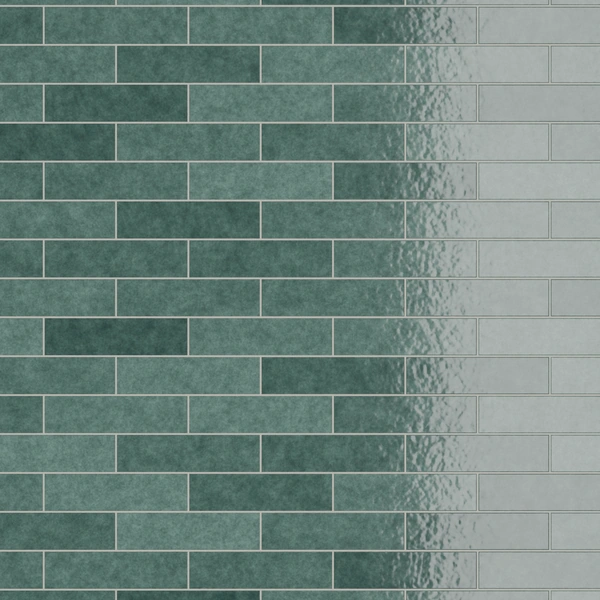
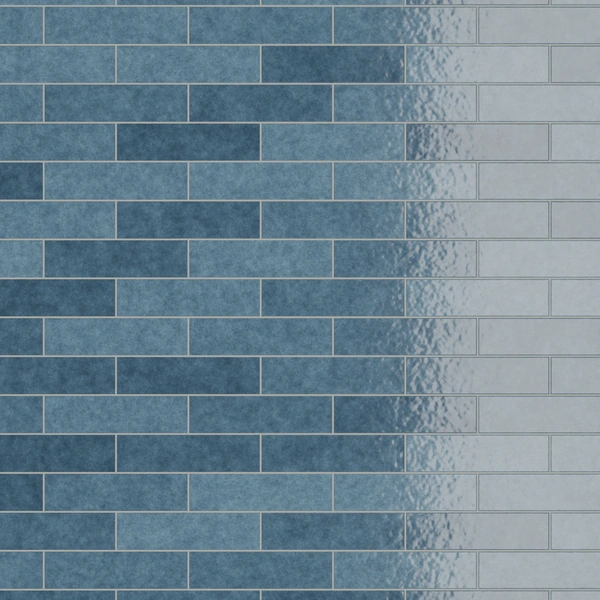
Colored ceramic glaze with the uneven sheen you get from dipping tiles by hand – the surface ripples slightly, the color pools and mottles from one tile to the next, and the edges are bevelled and a little irregular. It all sits on a single flat surface with no image textures and no tile geometry, and every size is set in real-world units so a 250 mm tile is actually 250 mm.
Features:
- Four presets: Sage Green, Deep Lagoon, Warm Ivory and Ocean Blue, all on 250 x 65 mm tiles in half-offset rows
- Real-world sizing – Surface Size, Tile Width and Tile Height in meters, plus Row Offset and Layout Rotation for running bond, stack bond or a diagonal set
- Glaze finish – Roughness, Glaze Coat, Glaze Waviness and Ripple Size control how wet and uneven the surface reads, with Micro Grain for the fine tooth underneath
- Ceramic color – a deep and a light glaze color blended by Tile Variation, Mottling and Mottle Scale, so no two tiles come out the same
- Grout and edges in millimeters – Grout Width, Edge Bevel, Joint Depth, Edge Irregularity and Grout Color
- Controls sorted into four panels – Tile Layout, Ceramic Colors, Glaze Finish, and Grout and Edges – instead of one long column of sliders
- Two lit scenes included: a four-preset gallery and a single-surface studio setup
- Built and rendered in Blender 5.2 with Cycles
Perfect for:
- Kitchen splashbacks, bathrooms, pools and spa interiors
- Archviz where the tile size has to match a real spec
- Close-up renders, since there is no texture resolution to run out of
For stone rather than ceramic, try the Procedural Marble Tiles. For something matte and weathered with mortar and grime, the Procedural Realistic Wall Tiles go the other direction.
Included Files:
- Blender project (.blend) with the four preset materials, both node groups and two preview scenes
- Created in Blender 5.2