


Procedural masks for edge wear, dirt and upward-facing surfaces
A small library of procedural mask node groups for Blender: Edge Wear AO, Bottom Dirt and Upward-Facing Surfaces, plus a Noise helper. Plug a mask into the Factor of a Mix node to place wear, grime, dust or snow where it would build up on a real object. They’re built from shader nodes with no image textures, and all four groups are marked as assets, so you can drag them in from the Asset Browser.
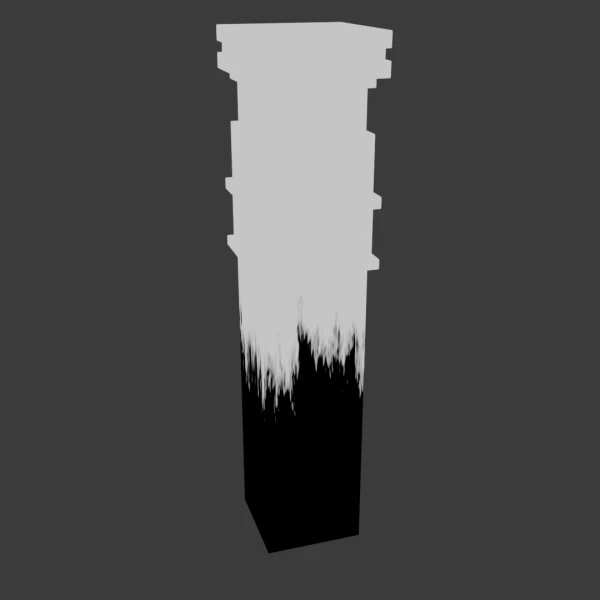
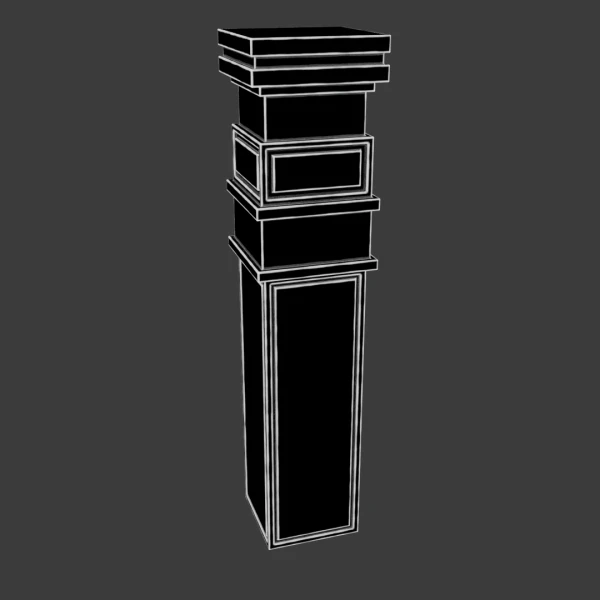
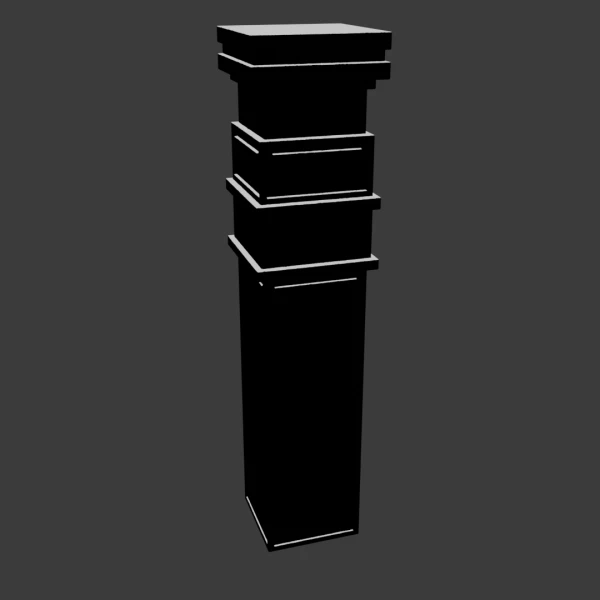
The gallery shows each mask on one of the three demo columns in the file. Black is 0 and white is 1.
Features:
- Edge Wear AO picks out edges with the Ambient Occlusion node and breaks them up with noise: Noise Seed, Scale, Detail, Roughness and Distortion, plus Sharpness, From Min and To Max
- Bottom Dirt follows the object’s height along its local Z axis with a noisy edge: Range, Noise Scale, Detail and Roughness, From Min, From Max and Scale
- Upward-Facing Surfaces uses the surface normal to find faces that point up: Noise Intensity, Noise Seed, Scale, Detail, From Min and From Max
- Noise is a helper with three noise seeds and a Scale, for breaking up any mask
- Object coordinates, so no UVs are needed
- All four node groups are marked as assets, ready for the Asset Browser
How to use it:
- Add the file to your Asset Library (the video below shows how), or use File > Append > Node Tree and pick a mask.
- In your material, add the mask group and plug its output into the Factor of a Mix Shader or Mix Color node between your clean and worn layers.
- Apply your object’s scale (Ctrl + A > Scale), because the masks use Object coordinates.
- Bottom Dirt measures height from the object’s origin, so an origin at the base gives the most predictable result.
- Combine masks with a Math node set to Multiply or Maximum, for example Upward-Facing Surfaces times Noise for patchy dust.
Perfect for:
- Weathering and wear on any procedural material
- Dust, snow or moss on top surfaces
- Grime at the base of walls, columns and props
- Hard-surface and prop texturing
For image-based scratches, try Scratch Masks, a set of 10 seamless scratch textures.
Included Files:
- Blender project (.blend) with the Edge Wear AO, Bottom Dirt, Upward-Facing Surfaces and Noise node groups
- Three demo columns, each with one mask material, and a camera
- Fully procedural, with no image textures or external files
- Created in Blender 5.1
New to asset libraries? This step-by-step video shows how to add the masks to your Asset Library in Blender: Creating Asset Libraries in Blender (4.4).

This tutorial shows how to properly set up an asset library, organize your files, and reuse your models, materials, HDRIs, node groups, and more across projects, making your workflow faster and more efficient.